
Refurbished MacBook Air and MacBook Pro in Hyderabad
Know exactly which MacBook you are buying: the model number, the chip and how long macOS will support it. Then see what is in stock on the store.
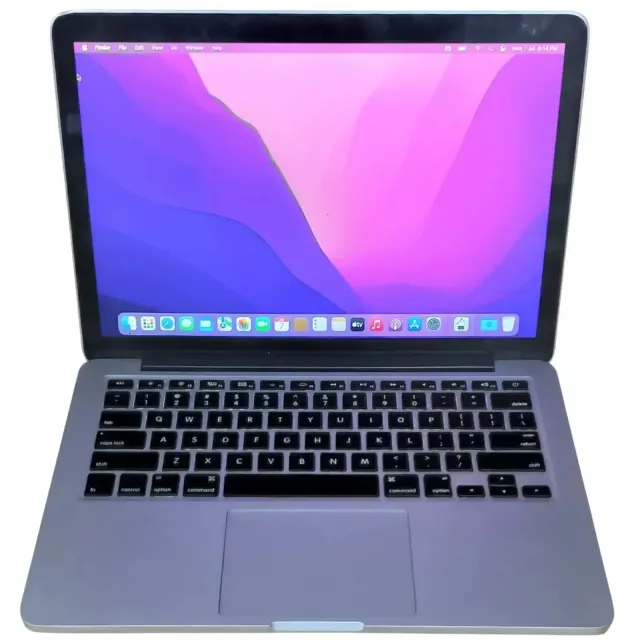
MacBook models that have been listed on the store
Use the model number on the bottom case to confirm what you are looking at.
| Model | Model number | Chip | Notes |
|---|---|---|---|
| MacBook Air (13-inch) | A1466 | Intel | Older Air design with MagSafe 2 and USB-A ports. |
| MacBook Air Retina (13-inch, 2018) | A1932 | Intel | Retina display, USB-C ports. |
| MacBook Air (M1, 2020) | A2337 | Apple M1 | Fanless Apple silicon model. |
| MacBook Pro Retina (13-inch) | A1502 | Intel | Retina display with HDMI and USB-A ports. |
| MacBook Pro Retina (15-inch) | A1398 | Intel | Larger Retina screen, quad-core Intel options. |
| MacBook Pro (15-inch, 2016/2017, Touch Bar) | A1707 | Intel | Touch Bar, four Thunderbolt 3 (USB-C) ports. |
| MacBook Pro (15-inch, 2018/2019) | A1990 | Intel | Six-core and higher Intel options, Touch Bar. |
| MacBook Pro (16-inch, 2019) | A2141 | Intel | 16-inch screen with the scissor-switch keyboard. |
| MacBook Pro (13-inch, M1) | A2338 | Apple M1 | 8-core Apple silicon, with Touch Bar. |
| MacBook Pro (M1 Pro) | 14 or 16-inch | Apple M1 Pro | Store lists a unit with 10-core CPU and 16-core GPU. |
Stock changes often. A model in this table may not be available today; check the MacBooks section of the store.
Which MacBook suits you
MacBook Air M1
Silent, light and long on battery. A good fit for students, writers and office work.
MacBook Pro M1 and M1 Pro
For editing, development and heavier apps. The M1 Pro adds more performance and screen options.
Intel MacBook Air and Pro
Lower budget band. Check which macOS version the model supports before you buy.
MacBook checklist
- Apple ID signed out and Find My Mac turned off
- No remote management (MDM) profile installed
- Model number on the case matches About This Mac
- Battery cycle count and condition in System Information
- Keyboard, trackpad, speakers, camera and every port tested
- Screen checked for coating wear, spots and backlight issues
- Correct charger wattage included
- Warranty: 15-day testing warranty
MacBook FAQs
Should I buy an Intel MacBook or an Apple silicon (M1) MacBook?
For most buyers, an Apple silicon model such as the MacBook Air M1 is the safer choice because it gets longer macOS support and much better battery life. Intel models suit people who need Boot Camp for Windows or who have a tight budget and only need basic tasks.
How do I check that a used MacBook is not locked to someone else?
Open System Settings and confirm no Apple ID is signed in, and that Find My Mac is off. Also check that no remote management (MDM) profile is installed. A locked MacBook cannot be used properly, so do this before paying.
How can I tell the exact MacBook model?
The model number starting with A, such as A2337, is printed on the bottom case. In About This Mac you can also see the model name and year. Match both with what the listing says.
What battery condition is acceptable?
In System Information, under Power, macOS shows the cycle count and a condition such as Normal or Service Recommended. Ask to see this screen and decide based on how long you need it to last unplugged.
Does Sky Technologies give a warranty on MacBooks?
MacBooks come with the same 15-day testing warranty as every other laptop.
Prefer Windows? Compare refurbished Dell, HP and Lenovo laptops, or read about warranty and testing.
Looking for a specific MacBook?
Tell us the model, chip, RAM and storage you want. We will tell you what is in stock.